Separate touching objects
Use peaks in the foreground distance map as seeds for watershed segmentation.
The pipeline
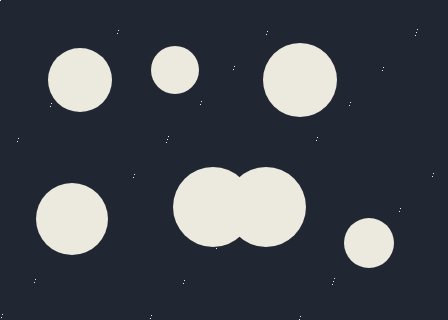
The unchanged source image. All steps use this same example.
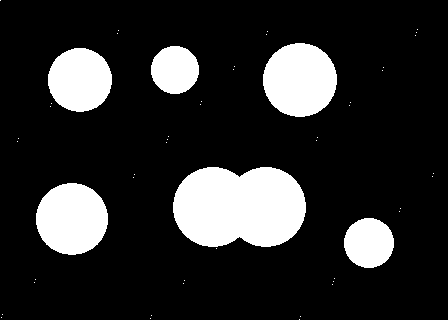
The white foreground contains the objects to separate.
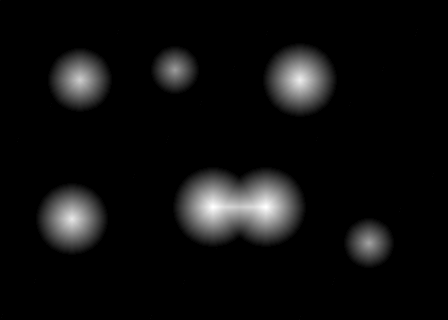
Distance in pixels to the mask boundary.
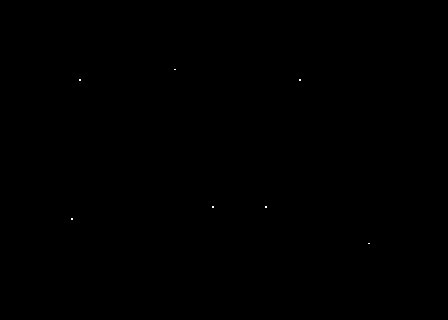
Local distance maxima above the minimum peak height initialize separate watershed labels.
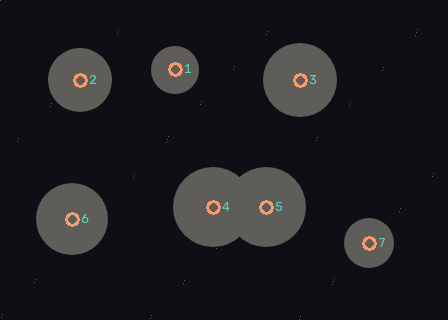
7 connected seed regions. Enlarged circles and numbers show their locations on a dimmed source; these annotations do not enlarge the actual watershed seeds.
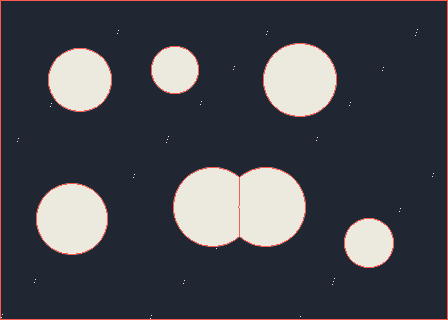
7 foreground seeds. Red boundaries separate watershed regions; label -1 marks a boundary.
Threshold the foreground
Explore the algorithm →thresholdBuild a binary object mask.
- Receives
- Bright touching objects against a darker background.
- Passes to the next step
- A binary foreground mask that may contain several touching objects in one component.
Why this step? Thresholding limits the problem to a foreground silhouette. Its boundary is crucial: the distance transform will measure distance to this boundary, so a missing edge or merged background region changes where object centres appear.
Find interior seeds
Explore the algorithm →distanceTransformdilatecompareconnectedComponentsDistance peaks identify well-inside pixels of each object.
- Receives
- The foreground mask.
- Passes to the next step
- A signed 32-bit marker image with distinct foreground seeds, background and unknown pixels.
Why this step? Distance increases toward the interior. Comparing the distance map with its local dilation finds local maxima; a height threshold rejects shallow peaks. Connected components turn surviving peak areas into separate marker IDs. Pixels outside the mask become a known background marker, while the rest remain unassigned.
Flood from the seeds
Explore the algorithm →watershedWatershed separates regions and marks their boundaries.
- Receives
- The colour image and marker labels.
- Produces
- A label image with -1 at watershed boundaries, overlaid as red lines on the original image.
Why this step? Marker-controlled watershed expands competing regions using image differences. Where competing basins meet, it marks a boundary. This can split a connected silhouette because its seeds already encode multiple candidate objects.
Actual OpenCV 5.0.0 results on the illustrated sample, using the lab’s default algorithm settings. Masks, overlays and normalized fields are labelled previews; the data contracts above describe what the algorithms really exchange. Try this chain with your images ↓
Why this chain works
Touching objects share a connected silhouette, so counting connected components cannot separate them. Their interiors can still have distinct centres. Use those centres as competing seeds and grow separate regions from them.
- 01
Threshold the foreground
thresholdThresholding limits the problem to a foreground silhouette. Its boundary is crucial: the distance transform will measure distance to this boundary, so a missing edge or merged background region changes where object centres appear.
- Receives
- Bright touching objects against a darker background.
- Passes on
- A binary foreground mask that may contain several touching objects in one component.
- 02
Find interior seeds
distanceTransformdilatecompareconnectedComponentsDistance increases toward the interior. Comparing the distance map with its local dilation finds local maxima; a height threshold rejects shallow peaks. Connected components turn surviving peak areas into separate marker IDs. Pixels outside the mask become a known background marker, while the rest remain unassigned.
- Receives
- The foreground mask.
- Passes on
- A signed 32-bit marker image with distinct foreground seeds, background and unknown pixels.
- 03
Flood from the seeds
watershedMarker-controlled watershed expands competing regions using image differences. Where competing basins meet, it marks a boundary. This can split a connected silhouette because its seeds already encode multiple candidate objects.
- Receives
- The colour image and marker labels.
- Passes on
- A label image with -1 at watershed boundaries, overlaid as red lines on the original image.
Tune and diagnose
Choose the parameters
Lower the minimum peak height if smaller objects have no seeds. Increase the suppression radius if one object receives many nearby seeds, but keep it smaller than the spacing between genuine centres.
Read the result
Inspect Foreground seeds before the final boundary. Aim for one seed per intended object. If strong overlap leaves only one interior peak, watershed has no evidence that there should be two objects. Correct the mask or provide better markers.
Try it with your images
Choose your own image or start with the built-in sample. Run the recipe, then use the stage buttons to inspect intermediate results without rerunning it.
Experiment at pixel level
Use peaks in the foreground distance map as seeds for watershed segmentation.
The engine loads on your first run. Your images stay in this browser.
Scroll over either image to zoom at the pointer. Use the scrollbars to pan both views over the same relative area. Zoom is relative to the input; pixel coordinates belong to each image. Warps can change scene correspondence.
Pixel inspector RGBA · native values · matched scale · 9 × 9 output pixels
Select a pixel
Select a pixel
Assumptions and limits
Seed quality controls the split. Very strong overlap can leave only one peak; noise can create too many seeds. Lower the peak height for smaller objects and adjust the suppression radius to their spacing.
TypeScript core chain
Initialize the shared engine once with await initOpenCV(), then use these named imports. In a bundled browser app, pass the WASM URL as shown in the quickstart. image is an 8-bit BGR Mat from that same engine; paired recipes receive an equally sized nextImage. Region recipes use an in-bounds pixel rect. Read outputs before the using scope ends. See matrix ownership.
import {
  CMP_GE,
  COLOR_BGR2GRAY,
  CV_8U,
  DIST_L2,
  MORPH_ELLIPSE,
  Mat,
  THRESH_BINARY,
  bitwise_and,
  compare,
  connectedComponents,
  cvtColor,
  dilate,
  distanceTransform,
  getStructuringElement,
  minMaxLoc,
  threshold,
  watershed
} from '@banou/opencv-wasm'

// The engine is already initialized; image is an 8-bit BGR Mat.
// "using" releases native handles at scope exit; inspect or copy outputs before then.

// 1. Allocate brightness, foreground mask and distance-to-background images.
using gray = new Mat(), mask = new Mat(), distance = new Mat()
// Allocate candidate seeds, integer watershed labels, and local-maximum scratch images.
using seeds = new Mat(), markers = new Mat(), dilated = new Mat(), peaks = new Mat()
// Convert the colour image to brightness for foreground thresholding.
cvtColor(image, gray, COLOR_BGR2GRAY)
// White pixels (brightness >127) define the touching-object silhouette.
threshold(gray, mask, 127, 255, THRESH_BINARY)
// 2. Measure approximate Euclidean distance to the nearest zero/background pixel.
// DIST_L2 uses Euclidean distance; the 5x5 mask controls this approximation.
distanceTransform(mask, distance, DIST_L2, 5)
// Keep interior pixels farther than 35% of the global maximum distance.
// This height cutoff prevents very shallow bumps from becoming seeds.
threshold(distance, seeds, minMaxLoc(distance).maxVal * 0.35, 255, THRESH_BINARY)
// Convert the float threshold result into an 8-bit candidate mask.
seeds.convertTo(seeds, CV_8U)
// A 31x31 ellipse searches roughly 15 pixels around each point for stronger peaks.
using neighborhood = getStructuringElement(MORPH_ELLIPSE, { width: 31, height: 31 })
// At each pixel, dilation records the largest distance in that neighbourhood.
dilate(distance, dilated, neighborhood)
// Select pixels equal to the neighbourhood maximum: candidate object centres.
compare(distance, dilated, peaks, CMP_GE)
// Keep only local maxima that also pass the interior-distance cutoff.
bitwise_and(peaks, seeds, seeds)
// 3. Give each connected seed area its own signed 32-bit integer label.
connectedComponents(seeds, markers)
// Encode watershed markers: 1 is known background, 2+ are foreground seeds,
// and 0 is unknown foreground that must be assigned during flooding.
for (let i = 0; i < markers.data32S.length; i++) {
  // Read the seed-component ID for this pixel (0 if it was not a seed).
  const label = markers.data32S[i]
  // Use the original mask to distinguish true background from unseeded foreground.
  markers.data32S[i] = mask.data[i] === 0 ? 1 : label ? label + 1 : 0
}
// 4. Grow competing regions over the colour image. markers is overwritten
// with region IDs; -1 marks a boundary where regions meet. Inspect seeds first:
// watershed cannot split two objects if they were given only one foreground seed.
watershed(image, markers)
The snippets isolate the core operations. The complete runnable recipes also include validation, filtering, overlays, intermediate previews and resource cleanup.