Denoise and restore local contrast
Reduce colour noise, then enhance luminance contrast without applying separate histogram equalization to each colour channel.
The pipeline
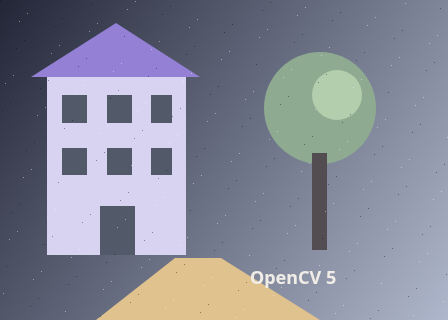
The unchanged source image. All steps use this same example.
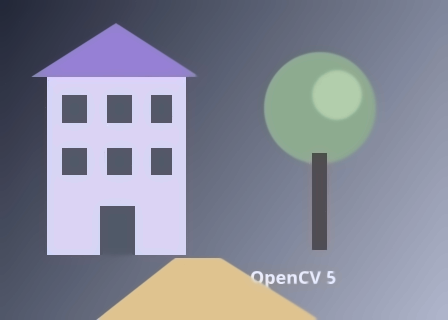
Nonlocal means reduces small colour fluctuations.
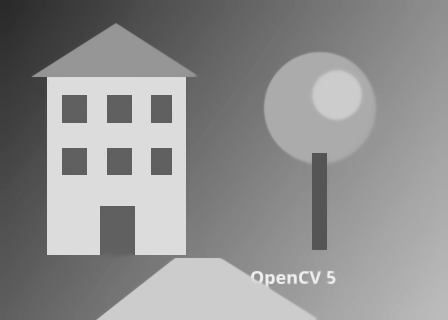
Contrast is adjusted in lightness while colour channels are retained.
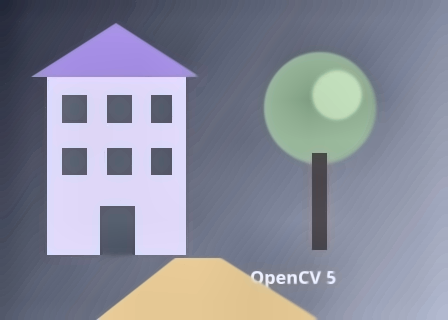
Final output of the complete chain.
Remove similar-patch noise
Explore the algorithm →fastNlMeansDenoisingColoredColour nonlocal means averages matching patches.
- Receives
- An 8-bit BGR image.
- Passes to the next step
- A denoised colour image.
Why this step? Nonlocal means averages evidence from similar patches, allowing repeated image structure to contribute to denoising. The colour version treats brightness and colour noise separately internally. This stage comes before contrast enhancement so the next operation has less noise to amplify.
Work in Lab luminance
Explore the algorithm →cvtColorCOLOR_BGR2LabextractChannelSeparate lightness from colour.
- Receives
- The denoised colour image.
- Passes to the next step
- An L-channel matrix and a Lab image holding the retained colour channels.
Why this step? Lab separates lightness from the a and b colour components. Extracting only L lets the contrast operation change lightness while retaining the two colour channels, rather than equalizing B, G and R independently.
Enhance local lightness
Explore the algorithm →createCLAHEinsertChannelCOLOR_Lab2BGRCLAHE adjusts the L channel before conversion back to BGR.
- Receives
- The lightness channel.
- Produces
- A colour image with reduced noise and enhanced local lightness contrast.
Why this step? CLAHE adjusts local intensity distributions with a clip limit that restrains amplification. Inserting enhanced L back into Lab and converting to BGR produces the final colour result. This restores visibility of local contrast, not detail already removed by denoising.
Actual OpenCV 5.0.0 results on the illustrated sample, using the lab’s default algorithm settings. Masks, overlays and normalized fields are labelled previews; the data contracts above describe what the algorithms really exchange. Try this chain with your images ↓
Why this chain works
Local contrast enhancement can amplify noise. Reduce noise first, then enhance brightness structure separately from colour to avoid independently distorting the colour channels.
- 01
Remove similar-patch noise
fastNlMeansDenoisingColoredNonlocal means averages evidence from similar patches, allowing repeated image structure to contribute to denoising. The colour version treats brightness and colour noise separately internally. This stage comes before contrast enhancement so the next operation has less noise to amplify.
- Receives
- An 8-bit BGR image.
- Passes on
- A denoised colour image.
- 02
Work in Lab luminance
cvtColorCOLOR_BGR2LabextractChannelLab separates lightness from the a and b colour components. Extracting only L lets the contrast operation change lightness while retaining the two colour channels, rather than equalizing B, G and R independently.
- Receives
- The denoised colour image.
- Passes on
- An L-channel matrix and a Lab image holding the retained colour channels.
- 03
Enhance local lightness
createCLAHEinsertChannelCOLOR_Lab2BGRCLAHE adjusts local intensity distributions with a clip limit that restrains amplification. Inserting enhanced L back into Lab and converting to BGR produces the final colour result. This restores visibility of local contrast, not detail already removed by denoising.
- Receives
- The lightness channel.
- Passes on
- A colour image with reduced noise and enhanced local lightness contrast.
Tune and diagnose
Choose the parameters
Start with modest denoising strength, then increase the CLAHE clip limit only as needed. Compare fine texture before and after denoising: once erased, contrast enhancement cannot reconstruct it. Remaining noise often becomes visible at high clip limits.
Read the result
Inspect Denoised colour before judging the final contrast. Waxy texture points to excess denoising; grain that appears only in the final image points to contrast amplification.
Try it with your images
Choose your own image or start with the built-in sample. Run the recipe, then use the stage buttons to inspect intermediate results without rerunning it.
Experiment at pixel level
Reduce colour noise, then enhance luminance contrast without applying separate histogram equalization to each colour channel.
The engine loads on your first run. Your images stay in this browser.
Scroll over either image to zoom at the pointer. Use the scrollbars to pan both views over the same relative area. Zoom is relative to the input; pixel coordinates belong to each image. Warps can change scene correspondence.
Pixel inspector RGBA · native values · matched scale · 9 × 9 output pixels
Select a pixel
Select a pixel
Assumptions and limits
Large denoising strengths erase texture; aggressive contrast enhancement can expose remaining noise.
TypeScript core chain
Initialize the shared engine once with await initOpenCV(), then use these named imports. In a bundled browser app, pass the WASM URL as shown in the quickstart. image is an 8-bit BGR Mat from that same engine; paired recipes receive an equally sized nextImage. Region recipes use an in-bounds pixel rect. Read outputs before the using scope ends. See matrix ownership.
import {
  COLOR_BGR2Lab,
  COLOR_Lab2BGR,
  Mat,
  createCLAHE,
  cvtColor,
  extractChannel,
  fastNlMeansDenoisingColored,
  insertChannel
} from '@banou/opencv-wasm'

// The engine is already initialized; image is an 8-bit BGR Mat.
// "using" releases native handles at scope exit; inspect or copy outputs before then.

// 1. Allocate denoised BGR, Lab colour, its lightness channel and final BGR output.
using denoised = new Mat(), lab = new Mat(), lightness = new Mat(), output = new Mat()
// Average similar patches to reduce noise before contrast enhancement amplifies it.
// The two 8s control brightness/colour denoising strength; 7 and 21 are the
// template-patch and search-window widths in pixels.
fastNlMeansDenoisingColored(image, denoised, 8, 8, 7, 21)
// 2. Split the denoised image into Lab lightness and two colour components.
cvtColor(denoised, lab, COLOR_BGR2Lab)
// Channel 0 is lightness (L); keep the a/b colour channels in lab unchanged.
extractChannel(lab, lightness, 0)
// 3. Limit local histogram contrast amplification with clip limit 2.
// The 8x8 size means an eight-by-eight grid of tiles across the image, not 8-pixel tiles.
using clahe = createCLAHE(2, { width: 8, height: 8 })
// Check the nullable factory result before applying the algorithm.
if (!clahe) throw new Error('CLAHE factory failed')
// Enhance only local lightness contrast; the same Mat is used as source and destination.
clahe.apply(lightness, lightness)
// Put enhanced L back into channel 0 beside the retained colour components.
insertChannel(lightness, lab, 0)
// Return to BGR for display or encoding. This cannot restore detail erased by denoising.
cvtColor(lab, output, COLOR_Lab2BGR)
The snippets isolate the core operations. The complete runnable recipes also include validation, filtering, overlays, intermediate previews and resource cleanup.